Use the school’s syllabus to identify theory units, software tools, practical activities and assessment requirements. Information Technology courses differ, so do not assume that every Class 9 learner uses the same application or module. Build a checklist and record which skills the student can explain, demonstrate with guidance and complete independently. Share the school’s prescribed software list before lessons begin. This avoids spending time on features that are not required while missing practical tasks that will actually be assessed. An online Information Technology tutor for Class 9 should help the learner understand concepts, practise independently and review errors constructively. The goal is not simply to finish a chapter, but to build skills that transfer to new questions and school assessments.
Explore The Infinity live learning platform or visit The Infinity Home Tuitions for information about online learning support. Share the learner’s class, board, prescribed textbook and preferred schedule so the plan can be matched to the real course.
Quick revision checklist
- Review course-specific theory and key terms.
- Complete one practical task independently.
- Check privacy, file saving and safe online behaviour.
| Study area | What to check |
|---|---|
| Theory | Explain key concepts in own words |
| Practical | Perform task and verify the result |
| Safety | Protect accounts and personal information |
Check the course outline first

Use the school’s syllabus to identify theory units, software tools, practical activities and assessment requirements. Information Technology courses differ, so do not assume that every Class 9 learner uses the same application or module. Build a checklist and record which skills the student can explain, demonstrate with guidance and complete independently. Share the school’s prescribed software list before lessons begin. This avoids spending time on features that are not required while missing practical tasks that will actually be assessed.
How to practise: Begin with a worked example or a short model, then ask the learner to complete a similar task without looking at the answer. Review the result against the instructions and identify the reason for any error. A correction is most valuable when the learner can explain what went wrong and demonstrate the corrected approach on a new example. Keep the exercise appropriately short so the student can focus on accuracy before increasing speed or difficulty.
What to record: Note the skill practised, the student’s level of independence, any recurring mistake and one next step. This record helps the tutor adapt future lessons instead of repeating identical activities. It also gives parents a clearer picture of progress than a general statement that a chapter has been completed. Revisit the skill after a few days to check whether the learning is retained and can be used in a different question or context.
Computer systems and file management

Understand the purpose of hardware, software, input and output devices, storage and operating systems at the level required by the course. Connect each concept to a familiar example rather than memorising a definition alone. Practise creating folders, choosing clear filenames, saving to the correct location and locating files later. Learn to recognise common file types and follow the school’s submission rules. These habits reduce avoidable practical errors and help students organise work across subjects.
How to practise: Begin with a worked example or a short model, then ask the learner to complete a similar task without looking at the answer. Review the result against the instructions and identify the reason for any error. A correction is most valuable when the learner can explain what went wrong and demonstrate the corrected approach on a new example. Keep the exercise appropriately short so the student can focus on accuracy before increasing speed or difficulty.
What to record: Note the skill practised, the student’s level of independence, any recurring mistake and one next step. This record helps the tutor adapt future lessons instead of repeating identical activities. It also gives parents a clearer picture of progress than a general statement that a chapter has been completed. Revisit the skill after a few days to check whether the learning is retained and can be used in a different question or context.
Productivity tools and practical tasks
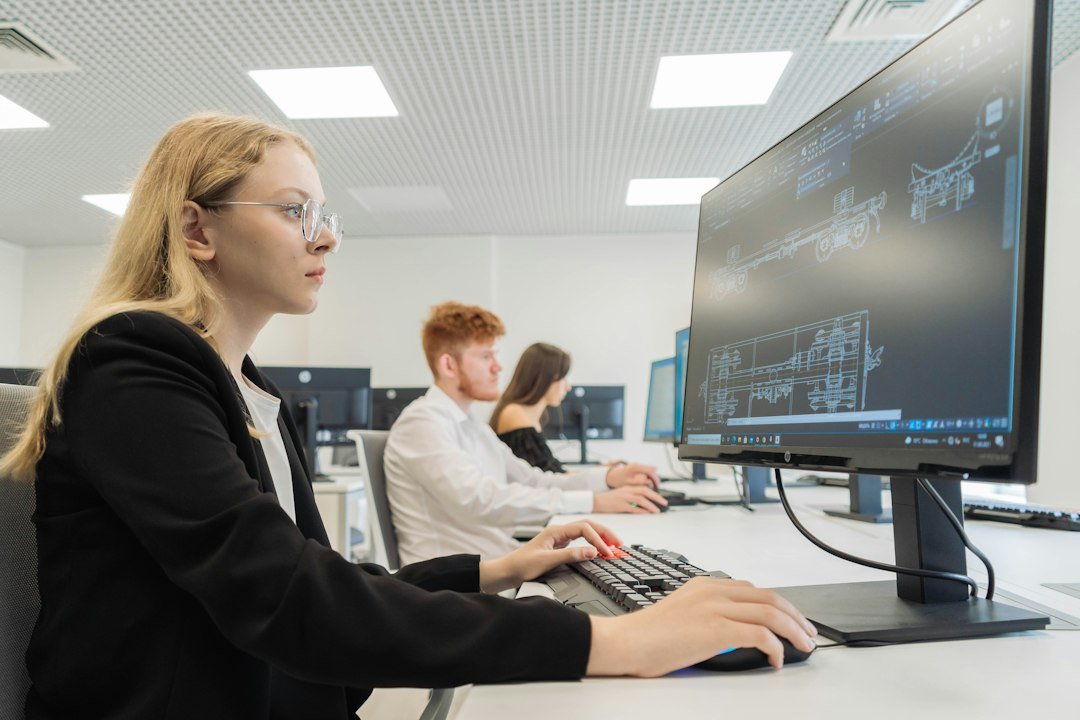
Where included in the syllabus, practise word processing, spreadsheets and presentations by completing realistic tasks. For documents, focus on formatting, page layout, headings and correct saving. For spreadsheets, practise accurate data entry, cells, rows, columns and basic formulas where taught. For presentations, organise information into readable slides and use visual elements purposefully. The tutor should demonstrate a task, let the learner perform it, and then ask them to repeat it without step-by-step prompting.
How to practise: Begin with a worked example or a short model, then ask the learner to complete a similar task without looking at the answer. Review the result against the instructions and identify the reason for any error. A correction is most valuable when the learner can explain what went wrong and demonstrate the corrected approach on a new example. Keep the exercise appropriately short so the student can focus on accuracy before increasing speed or difficulty.
What to record: Note the skill practised, the student’s level of independence, any recurring mistake and one next step. This record helps the tutor adapt future lessons instead of repeating identical activities. It also gives parents a clearer picture of progress than a general statement that a chapter has been completed. Revisit the skill after a few days to check whether the learning is retained and can be used in a different question or context.
Internet research and information quality

Digital literacy includes judging the reliability of online information. Check who published a page, when it was updated, what evidence it provides and whether other trustworthy sources agree. Use specific search terms and record references according to the teacher’s instructions. Distinguish facts from opinions and avoid presenting copied material as original work. If a school assignment permits AI or other digital tools, follow the teacher’s rules and be transparent about assistance when required.
How to practise: Begin with a worked example or a short model, then ask the learner to complete a similar task without looking at the answer. Review the result against the instructions and identify the reason for any error. A correction is most valuable when the learner can explain what went wrong and demonstrate the corrected approach on a new example. Keep the exercise appropriately short so the student can focus on accuracy before increasing speed or difficulty.
What to record: Note the skill practised, the student’s level of independence, any recurring mistake and one next step. This record helps the tutor adapt future lessons instead of repeating identical activities. It also gives parents a clearer picture of progress than a general statement that a chapter has been completed. Revisit the skill after a few days to check whether the learning is retained and can be used in a different question or context.
Cyber safety and account protection

Teach students to recognise suspicious links, unexpected attachments, impersonation and requests for private information. Never share passwords or verification codes with strangers. Use available account protections, update software and ask a trusted adult before changing security settings or installing unfamiliar programs. Discuss privacy settings, digital footprints and respectful online communication. Students should know how to save evidence and report cyberbullying or unsafe contact to a trusted adult rather than respond impulsively.
How to practise: Begin with a worked example or a short model, then ask the learner to complete a similar task without looking at the answer. Review the result against the instructions and identify the reason for any error. A correction is most valuable when the learner can explain what went wrong and demonstrate the corrected approach on a new example. Keep the exercise appropriately short so the student can focus on accuracy before increasing speed or difficulty.
What to record: Note the skill practised, the student’s level of independence, any recurring mistake and one next step. This record helps the tutor adapt future lessons instead of repeating identical activities. It also gives parents a clearer picture of progress than a general statement that a chapter has been completed. Revisit the skill after a few days to check whether the learning is retained and can be used in a different question or context.
Privacy, ethics and digital citizenship

Responsible technology use means respecting other people’s work, images and personal data. Understand permission, copyright basics, plagiarism and acceptable use of school devices. Before sharing a photograph or document, check whether it contains private details. Keep passwords private and log out of shared devices when appropriate. Digital citizenship is not only a theory chapter; it is a set of habits that should be practised whenever the student researches, communicates or creates content online.
How to practise: Begin with a worked example or a short model, then ask the learner to complete a similar task without looking at the answer. Review the result against the instructions and identify the reason for any error. A correction is most valuable when the learner can explain what went wrong and demonstrate the corrected approach on a new example. Keep the exercise appropriately short so the student can focus on accuracy before increasing speed or difficulty.
What to record: Note the skill practised, the student’s level of independence, any recurring mistake and one next step. This record helps the tutor adapt future lessons instead of repeating identical activities. It also gives parents a clearer picture of progress than a general statement that a chapter has been completed. Revisit the skill after a few days to check whether the learning is retained and can be used in a different question or context.
Troubleshooting systematically

When a task fails, describe the problem and test one safe step at a time. Check power, internet connection, filenames, save locations and error messages before changing settings. Avoid installing unknown software or disabling security controls without permission. Keep a short troubleshooting log showing the symptom, attempted fix and result. This develops systematic problem-solving and helps the student explain the issue clearly when asking a teacher or parent for support.
How to practise: Begin with a worked example or a short model, then ask the learner to complete a similar task without looking at the answer. Review the result against the instructions and identify the reason for any error. A correction is most valuable when the learner can explain what went wrong and demonstrate the corrected approach on a new example. Keep the exercise appropriately short so the student can focus on accuracy before increasing speed or difficulty.
What to record: Note the skill practised, the student’s level of independence, any recurring mistake and one next step. This record helps the tutor adapt future lessons instead of repeating identical activities. It also gives parents a clearer picture of progress than a general statement that a chapter has been completed. Revisit the skill after a few days to check whether the learning is retained and can be used in a different question or context.
Practical notebook and evidence

Maintain a record of each practical task: objective, steps, result and one lesson learned. Screenshots may document completion when the teacher permits them, but they should not replace understanding. Recreate a task from a blank file or fresh workspace to test independent skill. If the student can only repeat a demonstration while following prompts, practise the task again before moving on. A well-organised practical notebook also makes revision easier before a school assessment.
How to practise: Begin with a worked example or a short model, then ask the learner to complete a similar task without looking at the answer. Review the result against the instructions and identify the reason for any error. A correction is most valuable when the learner can explain what went wrong and demonstrate the corrected approach on a new example. Keep the exercise appropriately short so the student can focus on accuracy before increasing speed or difficulty.
What to record: Note the skill practised, the student’s level of independence, any recurring mistake and one next step. This record helps the tutor adapt future lessons instead of repeating identical activities. It also gives parents a clearer picture of progress than a general statement that a chapter has been completed. Revisit the skill after a few days to check whether the learning is retained and can be used in a different question or context.
Theory and practical revision plan
Combine short theory reviews with hands-on practice. Review key terms, perform one task, explain the steps aloud and finish with a few exam-style questions. Use a timer only after the learner understands the process, so speed does not reinforce mistakes. Before tests, practise the formats used by the school and review common issues such as incorrect filenames, unsaved work, incomplete steps or unclear definitions. Make the next revision session target the errors found in the last one.
How to practise: Begin with a worked example or a short model, then ask the learner to complete a similar task without looking at the answer. Review the result against the instructions and identify the reason for any error. A correction is most valuable when the learner can explain what went wrong and demonstrate the corrected approach on a new example. Keep the exercise appropriately short so the student can focus on accuracy before increasing speed or difficulty.
What to record: Note the skill practised, the student’s level of independence, any recurring mistake and one next step. This record helps the tutor adapt future lessons instead of repeating identical activities. It also gives parents a clearer picture of progress than a general statement that a chapter has been completed. Revisit the skill after a few days to check whether the learning is retained and can be used in a different question or context.
Parent support and progress tracking

Parents can help by ensuring access to the required device and software, setting a regular practice time and discussing online safety. Track whether the learner can explain concepts and complete practical tasks without prompting. Ask what was learned and what remains confusing. If a required tool is unavailable at home, tell the tutor early so practice can be adapted realistically. Progress is best judged through both conceptual understanding and the ability to carry out the prescribed tasks.
How to practise: Begin with a worked example or a short model, then ask the learner to complete a similar task without looking at the answer. Review the result against the instructions and identify the reason for any error. A correction is most valuable when the learner can explain what went wrong and demonstrate the corrected approach on a new example. Keep the exercise appropriately short so the student can focus on accuracy before increasing speed or difficulty.
What to record: Note the skill practised, the student’s level of independence, any recurring mistake and one next step. This record helps the tutor adapt future lessons instead of repeating identical activities. It also gives parents a clearer picture of progress than a general statement that a chapter has been completed. Revisit the skill after a few days to check whether the learning is retained and can be used in a different question or context.
How to choose and work with an online tutor

Choose a tutor who asks about the prescribed syllabus and recent schoolwork before setting targets. A productive first session identifies current strengths, the main learning gaps and a realistic practice schedule. Ask how the tutor will explain difficult topics, review homework and measure improvement. Lessons should involve active student work, not only watching explanations. No tutor can responsibly guarantee a particular grade because outcomes depend on the learner’s starting point, participation, practice and school assessment requirements.
Before each lesson, keep the textbook, notes, assignment instructions and questions ready. After the lesson, complete the agreed practice while the explanation is still fresh. If a task remains confusing, mark the exact step and bring it to the next session. This is more efficient than waiting until an entire chapter has become difficult. Parents can help by protecting regular study time and encouraging the learner to ask specific questions.
Frequently asked questions

How do we start? Share the student’s syllabus, textbook and recent work so the learning plan fits the course. How often should students practise? Use regular, manageable practice sessions based on school workload and individual needs. How can parents judge progress? Look for more accurate independent work, fewer repeated errors and a clearer ability to explain concepts. Will one resource fit every board? No; confirm the curriculum and school instructions before selecting materials.
Official curriculum and further learning

For CBSE students, consult the official CBSE website and confirm the relevant syllabus or school-issued course outline. Learners following another board should use that board’s official curriculum documents. Do not assume that an online worksheet for a different course matches the student’s current assessment. For online support, explore The Infinity live learning platform and The Infinity Home Tuitions.